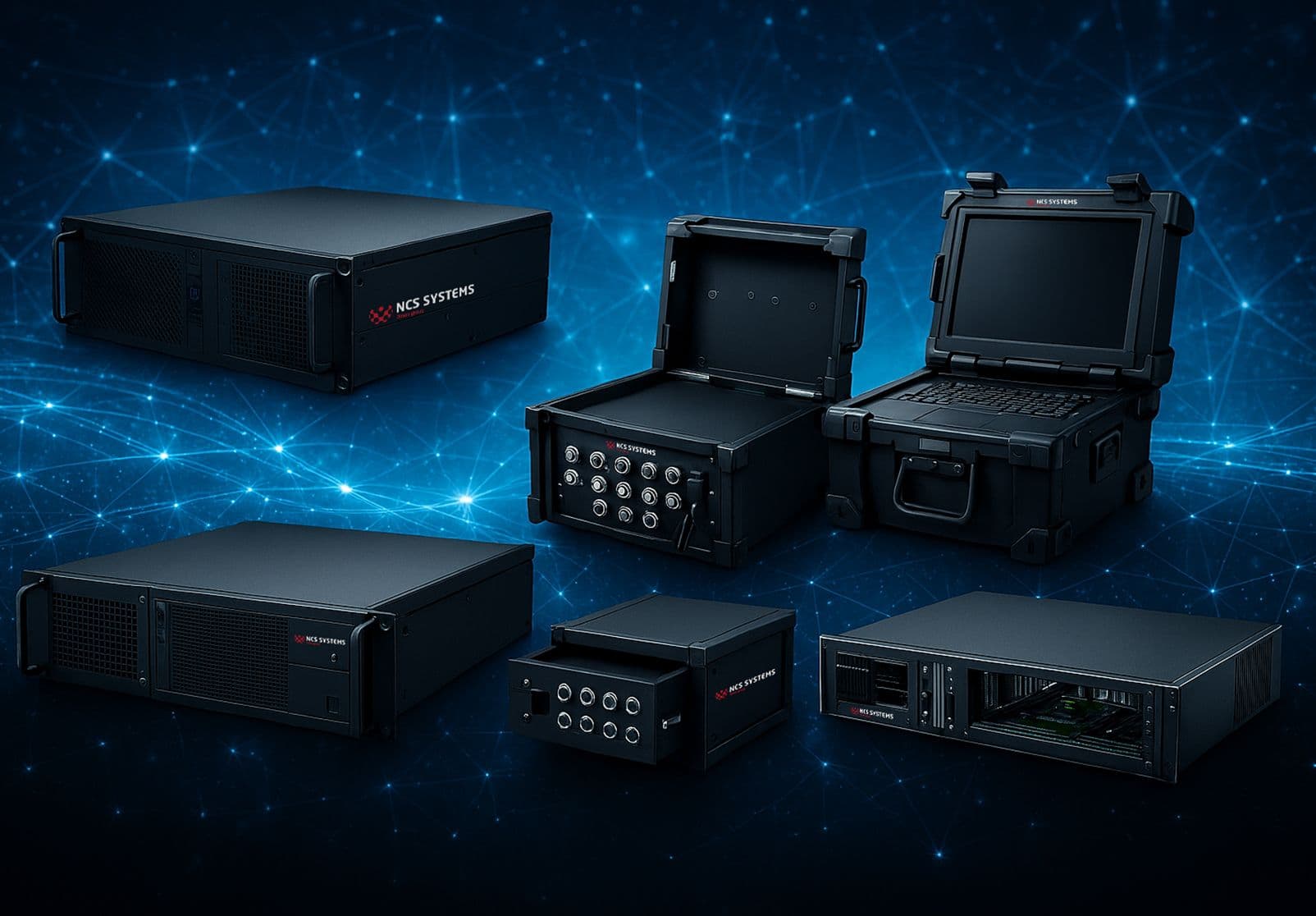
An operator opens the bay, slides the chassis onto its rails, tightens four screws, and the machine has to run for ten years without a hitch. That's what a 19-inch industrial rack PC is. Not a desktop computer someone stuck in a cabinet, but a system designed for the bay, for the heat, for the vibrations, for fast maintenance. At NCS SYSTEMS, we integrate around 5,000 of them per year across our two production sites in France and the BeNeLux. This guide covers everything you need to know before choosing yours: formats, motherboards, processors, cooling, standards, and purchasing criteria.
What is a 19-inch rackmount industrial PC?
A rackmount industrial PC is an industrial computer designed to fit into a standard 19-inch wide rack — the universal standard for IT bays and technical cabinets. It's also called an IPC, for Industrial PC, the industry term in industrial computing. The difference from a standard PC comes down to three things: component robustness, lifespan, and mechanical format. Where a consumer computer gets replaced every three or four years, an IPC is built to last 5, 10, or even 15 years depending on the configuration, with guaranteed parts availability. If you want the full definition, we've written a dedicated article on exactly what an industrial PC is. The rackmount format addresses a concrete need: centralizing multiple pieces of equipment in a single bay, simplifying cabling, and enabling fast intervention in the event of a failure. Remove the chassis, replace it, the system is back up. That production logic drives the entire product range.
The 19" rack format and U heights
The width is fixed: 19 inches, or 482.6 mm at the front panel. What varies from one model to the next is the height, expressed in rack units, noted U. One unit equals 44.45 mm. A 1U chassis is therefore very slim; a 4U is considerably bulkier. Our 19-inch industrial PCs range from 1U to 6U, with depths from 220 mm to 500 mm to suit both shallow bays and full server installations. The choice of height depends on what you want to integrate. A 1U fanless unit is enough for a network function or a compact supervision workstation. A 4U accommodates a full ATX motherboard, several expansion cards, redundant drives, and generous cooling. The taller the chassis, the more expansion capacity and cooling options you gain. For the bay that will house these chassis, we cover everything in our 19-inch bay and enclosure buying guide, and the full range is presented on the 19-inch bays and enclosures page.
Hardware configurations: motherboard, processor, storage
Motherboard selection
The heart of the system is the motherboard. Our rackmount chassis accept ATX, EATX, microATX, mini-ITX formats as well as PICMG and COM-Express architectures. ATX remains the reliable choice for most applications. PICMG comes into play when you need extensive expansion: with a motherboard on a backplane, you can fit up to 20 expansion slots in a single chassis, which is valuable for data acquisition, adding a dedicated graphics card, or machine vision.
Compatible processors
On the processor side, the range spans from Celeron for basic functions up to Intel Core i7 and i9 for heavy workloads. The right choice depends on the application: a control-command workstation doesn't have the same requirements as a calculation or simulation station. If your project calls for graphics power or intensive computing, look instead at our industrial workstation, dimensioned for those use cases.
Memory, storage, and connectivity
We round out the system with DDR4 memory, a suitable Intel chipset, fast SSDs or high-capacity HDDs depending on the speed/volume trade-off required, and the appropriate connectivity: USB ports, Ethernet, SATA ports, VGA and HDMI interfaces, PCI and PCIe slots. Everything is defined at order time, based on actual use. A PC controlling a production line doesn't have the same spec sheet as a digital signage system.
Ventilated or fanless: which cooling solution to choose?
Two schools of thought. Conventional cooling, with low-noise fans governed by temperature, suits the majority of environments and handles heat dissipation for powerful configurations. Fanless cooling removes moving parts entirely: no dust intake, no noise, no mechanical fan failure. It's the ideal solution in dusty environments, cleanrooms, or noise-sensitive settings such as control stations. The trade-off is a more constrained thermal envelope. We've detailed the method for choosing a fanless industrial PC suited to your constraints.
Robustness and standards: MIL-STD, DO-160, EN 50155
This is often what separates a genuine IPC from a generic assembly. Depending on the sector, your rack industrial PC must meet precise requirements: MIL-STD-461F for electromagnetic compatibility, MIL-STD-810H for shock and vibration resistance, DO-160 in aeronautics, EN 50155 in rail, IEC 60945 in maritime applications. These certifications aren't boxes to tick: they determine whether the system will survive its environment. Details of the qualifications we cover are on our certifications and standards page. This is what makes our systems relevant for the defense and security sector and for transportation.
How to choose your 19" rack industrial PC: the criteria that matter
Before requesting a quote, ask yourself the right questions. The available U height and depth in your bay. The motherboard format and number of expansion slots required. The processor type based on workload. The cooling method — ventilated or fanless — depending on the environment. The power supply type: standard, redundant for high availability, or DC/DC for embedded applications. The standards to comply with. And finally the expected service life, which determines component selection. For an industrial panel PC with an integrated capacitive or resistive touchscreen on the front panel, sometimes in a ruggedized version, the panel PC and industrial monitor range is the right place to look.
Installing and mounting a rackmount PC in a bay
Rack mounting always follows the same logic. Fix the rails or slides in the bay uprights at the planned U height, insert the chassis, screw it in at the front panel, then connect power, network, and peripherals. Plan for airflow: a ventilated chassis needs clear intake and exhaust paths, and the order of equipment in the bay matters to avoid hot spots. On complex installations, it's better to entrust integration to a team that knows cabling and thermal management for the full assembly. That's precisely our business: we route around 15 km of labeled cables per year and integrate close to 150 bays and enclosures.
Where to buy and configure your rack industrial PC?
An industrial PC isn't really bought off the shelf: it's configured. The right approach is to start from your specification sheet and have the system dimensioned by an integrator. You can browse all standard and customizable configurations on our 19-inch rackmount industrial PC range page. For requirements that fall outside standard parameters — stainless steel front panel, IP65 sealing, specific format, military-grade connectivity — our custom design service builds the machine from scratch. A concrete example: our 1U fanless PC built for the defense and naval sectors. The simplest approach is to describe your project: we'll come back to you with a detailed proposal.
Frequently asked questions
What is the best 19-inch industrial PC?
There is no single best model: the best rackmount industrial PC is the one that fits your application. A 1U fanless unit excels where a ventilated 4U PICMG would be overkill, and vice versa. The decisive criterion is the match between the configuration and the actual operating environment.
How do you configure a 19-inch rackmount PC?
Start with the U height and bay depth, choose the motherboard format and number of slots, the processor, storage, cooling method, and power supply, then validate the standards to comply with. Our team builds the configuration with you, in standard or custom form.
Which processors are compatible with a 19" rack PC?
The range covers Intel processors from Celeron to Intel Core i7 and i9, paired with an industrial chipset. The choice depends on expected performance: control-command, supervision, calculation, and simulation each have different requirements.
What are the advantages of a rackmount industrial PC?
Durability, robustness against shock and vibration, clean bay integration, fast maintenance through chassis swap, and a service life of 5 to 15 years. It's an industrial solution designed for availability, not for constant renewal.
What configurations are available for a 19" PC?
From 1U to 6U, in ventilated, fanless, shallow-depth, or PICMG versions, with ATX, microATX, mini-ITX, or COM-Express motherboards, and a wide range of storage, connectivity, and power supply options.
How do you install a 19-inch rackmount PC?
Fix the slides at the correct U height in the bay, insert and screw the chassis in at the front panel, then connect power, network, and peripherals while ensuring adequate airflow. On sensitive installations, integration by our teams guarantees proper cabling and ventilation.
Let's talk about your project
You have a bay to equip, a format constraint, or a standard to meet? Describe your need and our experts will propose the right configuration. Contact us to receive a proposal.